ToolTip should not exceed 200 characters
The user assistance model recommends keeping ToolTips short so users can scan them and get unblocked quickly. A ToolTip within the 200-character limit fits neatly into the popup:
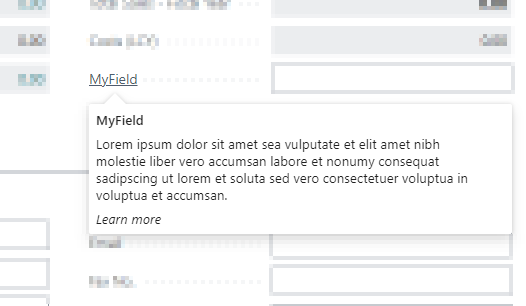
A ToolTip within the recommended length.
The UI can render longer text — up to roughly 600 characters before scrolling kicks in — but a wall of text defeats the purpose. The user now has to read instead of scan:
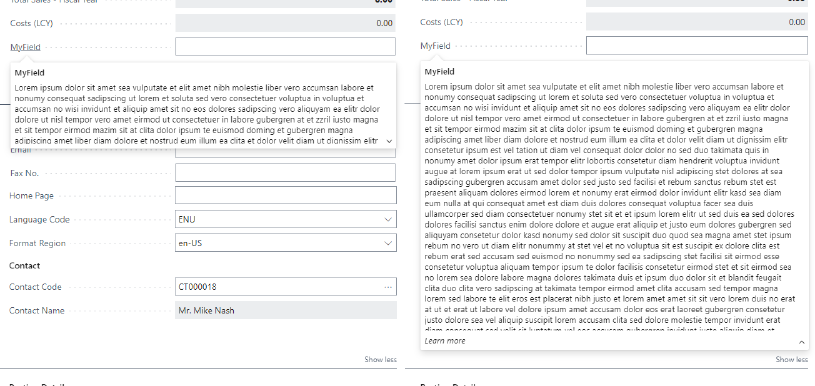
A long ToolTip expands into a block that overwhelms the page.
Try to not exceed 200 characters including spaces.
This makes the tooltip easier to scan so the user can get unblocked quickly. However, the UI will render longer tooltip text if you want to provide more detailed user assistance.
— Guidelines for tooltip text on Microsoft Learn
Shorten the ToolTip to focus on the single most important piece of information the user needs.
Example
The following page field has a ToolTip that exceeds the recommended length:
page 50100 "My Page"
{
    layout
    {
        area(Content)
        {
            field(MyField; Rec.MyField)
            {
                ToolTip = 'Specifies the value that is used for this particular field and contains a very long description that exceeds the recommended maximum length of 200 characters, which makes it harder for users to quickly scan and understand the purpose of this field.'; // ToolTip should not exceed 200 characters [AC0017]
            }
        }
    }
}
Shorten the ToolTip to the essential information:
page 50100 "My Page"
{
    layout
    {
        area(Content)
        {
            field(MyField; Rec.MyField)
            {
                ToolTip = 'Specifies the value used for this field.';
            }
        }
    }
}